
Microsoft inform that when the MS Outlook Software has error and disconnects from server, there is usually some missing Windows Updates or MS Office Updates to install.
Microsoft has provided the guides to try when encountering this type of MS Outlook Software bug.
Windows Updates installation
MS Office Updates installation
Important: After doing the above 1 and 2, it is very important that you reboot the computer. This is because some of the updates will only finish installing after the computer reboots.
Important: Remember every week, do a manual install of MS Windows Updates.
Do weekly manual Windows Updates & Office Updates to help keep your computer as healthy as possible.
Check and install Windows Updates
Follow the screenshot to do a manual check for Windows Updates
Click the 'Check for updates' button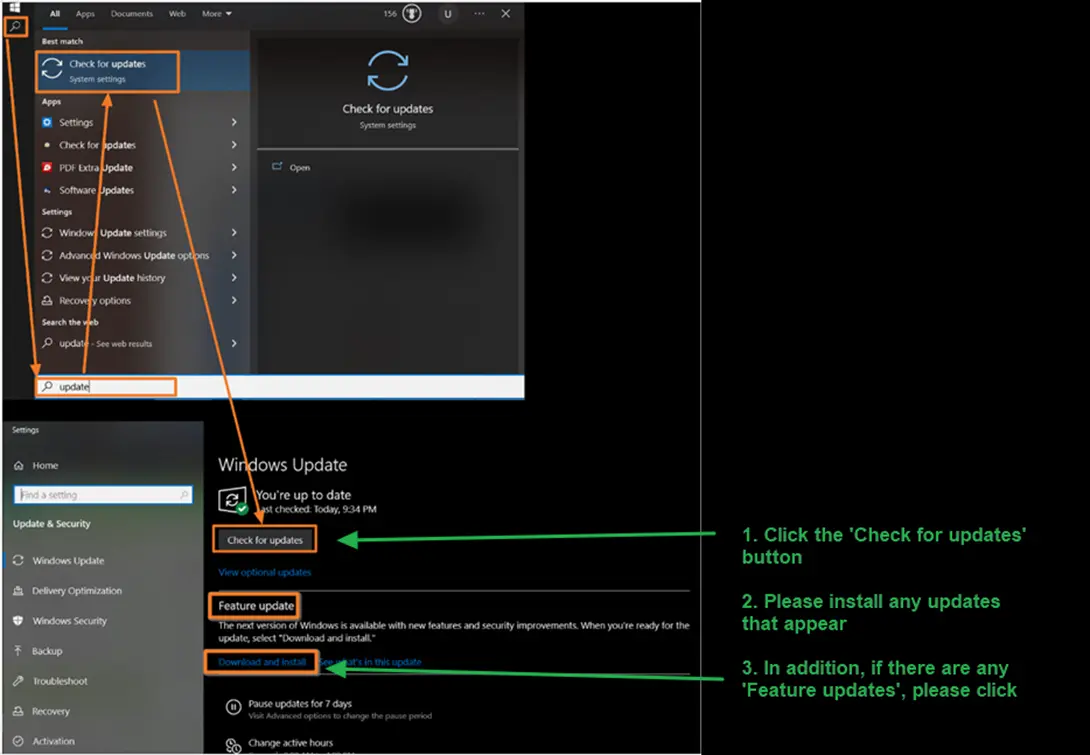
If there are any Feature updates or Quality Updates, please install as well.

Important step: After installing the Windows Updates, repeat steps 1 to 3 until no more updates appear.
Check and install MS Office Updates
Open any Office App eg. word, excel, outlook or powerpoint
Go to the Account section and follow the screen guide below.
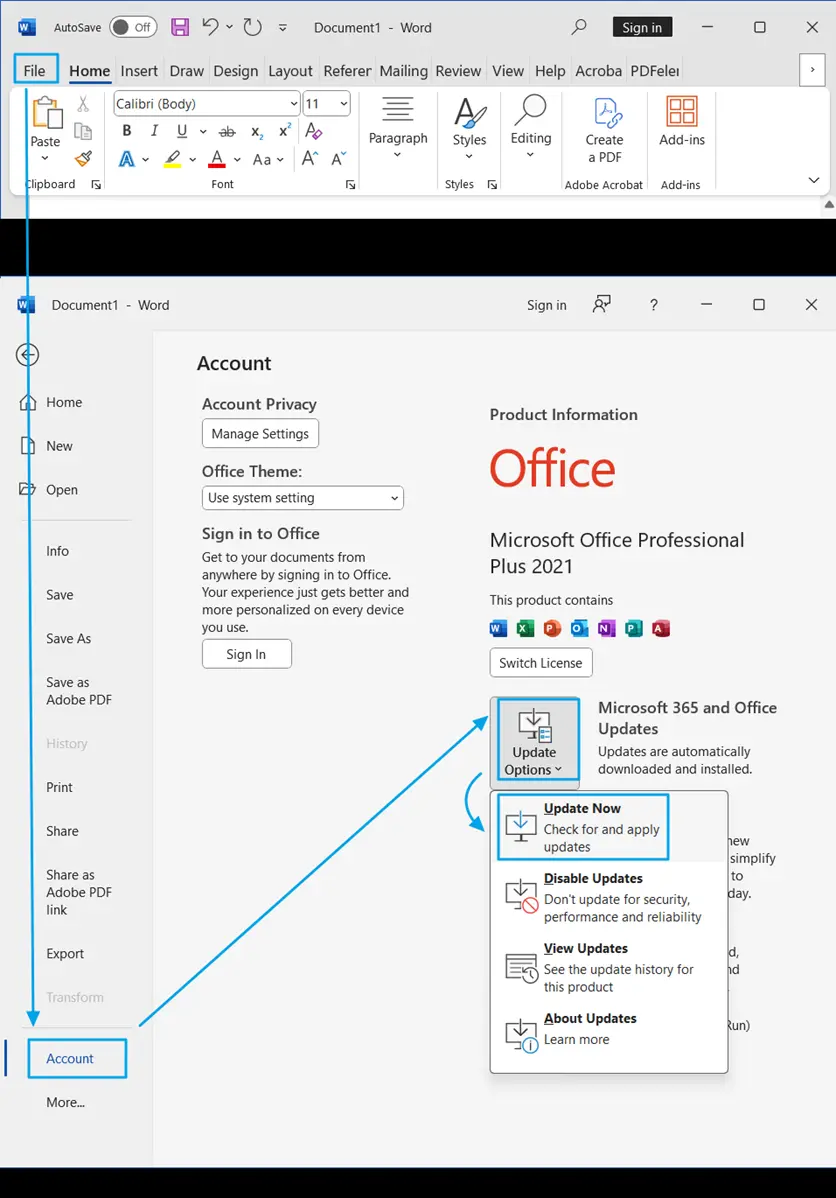
Important step: Remember to reboot your computer after doing the above tasks
